Desktop customization
Let’s talk about desktop customization and how I make my pc look and feel better to use on a daily basis.
Wallpapers
Let’s have a quick talk on wallpapers, notably, live wallpapers. Ever found it hard to find nice wallpapers? Well buckle up your seatbelt, by the end of this part you should be ensured to find ones that are to your taste live or non live.
Software
To install live wallpapers you will need a third party software, since I’m on Linux & use gnome as my desktop env, the best solution is by far the hanabi extension which works perfectly!
A good recommendation, before installing hanabi, install Clapper via your package manager (no flatpak or snap), this is a media player which hanabi is compatible with, it will significantly reduce your GPU & CPU usage (from 70 to 20% for me), then build (or rebuild) hanabi once installed and you should get lower performance.
For my lock screen I don’t use any live wallpaper (yet) but you will also need another third party app or extension, since hanabi doesn’t manage lock screen.
Here are some alternatives :
- Fantascene is an app that works on most linux distros and might work on windows, though personnally it made my graphics crash.
- Plasma smart video wallpaper reborn the kde alternative that also manages lock screen.
Platforms
Now, when you look for wallpapers, you will usually find not very interesting images, it’s not much better for live ones to be honest. But if you look in the right places you might find some interesting ones, here I will list all the platforms I use 👇
Live wallpapers
- Moewalls is by far the most complete platform I know of, it has many kind of live wallpapers, it is almost certain that you will find one that suits you.
- Motion Backgrounds the first platform I found, some wallpapers are nice, but in my opinion not a lot match what I’m looking for.
Still wallpapers
- Wallhaven have a lot of still (non live) wallpapers, again, a very complete place, it’s very likely for you to find some that will suit your taste.
Artists
- Fangpeii (Pixiv), mostly chill scenery illustrations, especially cool for lock screen & browser home background.
Final note on wallpapers
Some of the things here (notably Moewalls & hanabi) are things I found on Pollux78’s own wallpaper repository!
This page is more for myself to save some projects, platforms and artists, but sharing such information is never really a bad thing, especially if it can be helpful to someone :)
Transparency
Now, let’s talk about THE fun part, this is THE customization rabbit hole. Ever got tires of how apps look? Me too, and now that we’ve got nice wallpapers i’m even more tired of not taking advantage of it. What if, I told you there is a way to make everything look instantly better and less bloated?
Yes, indeed, there is a way, it’s the best combo of all, transparency + blur.
Browser
For this part, it will only be about the zen browser, since it’s the one I use. Here is a tutorial if you want to reproduce the same look as me, additionaly for GNOME, please install the blur my shell extension to add the blur.
With the extension & themes you now have a nice browser that looks just like this :
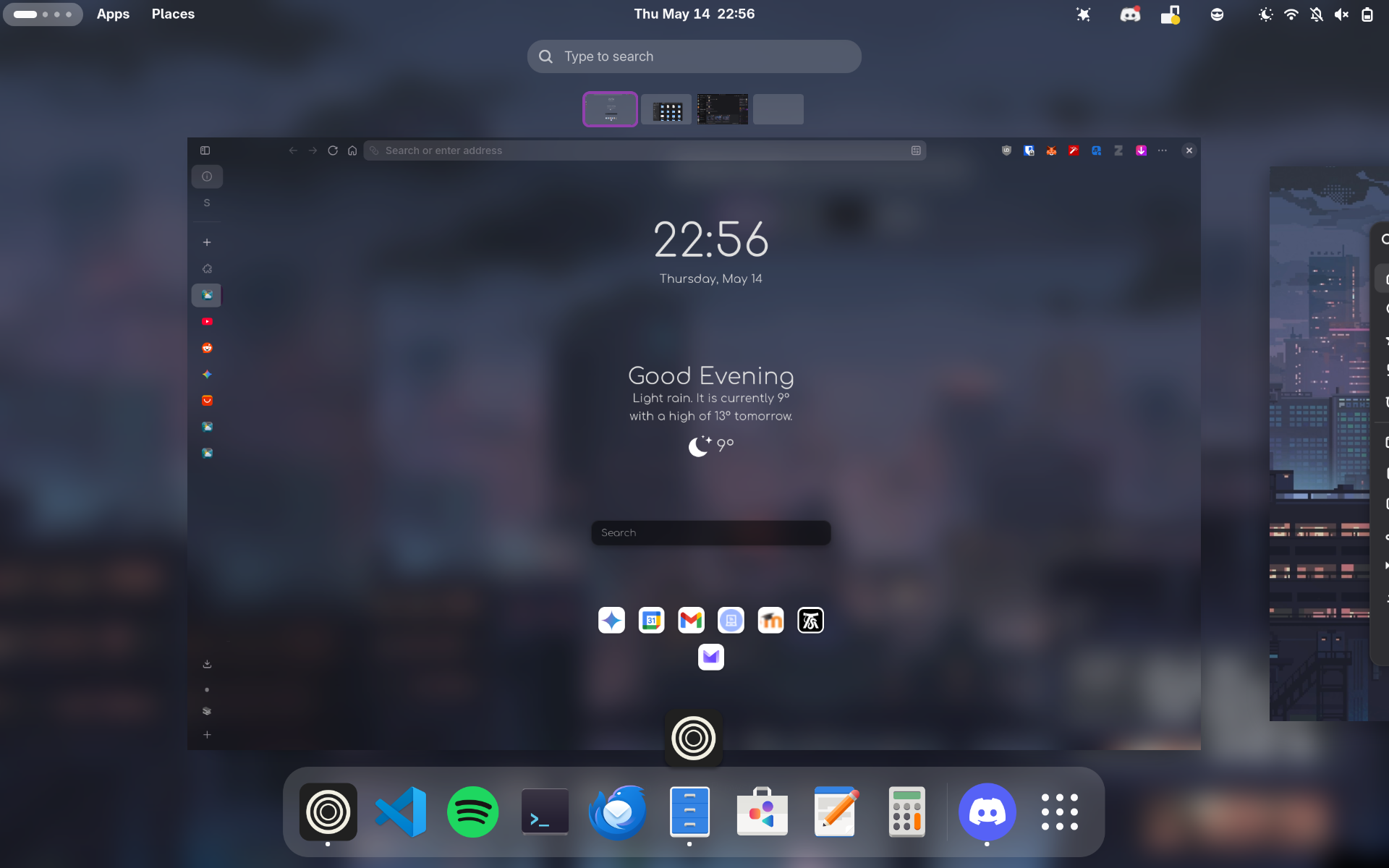
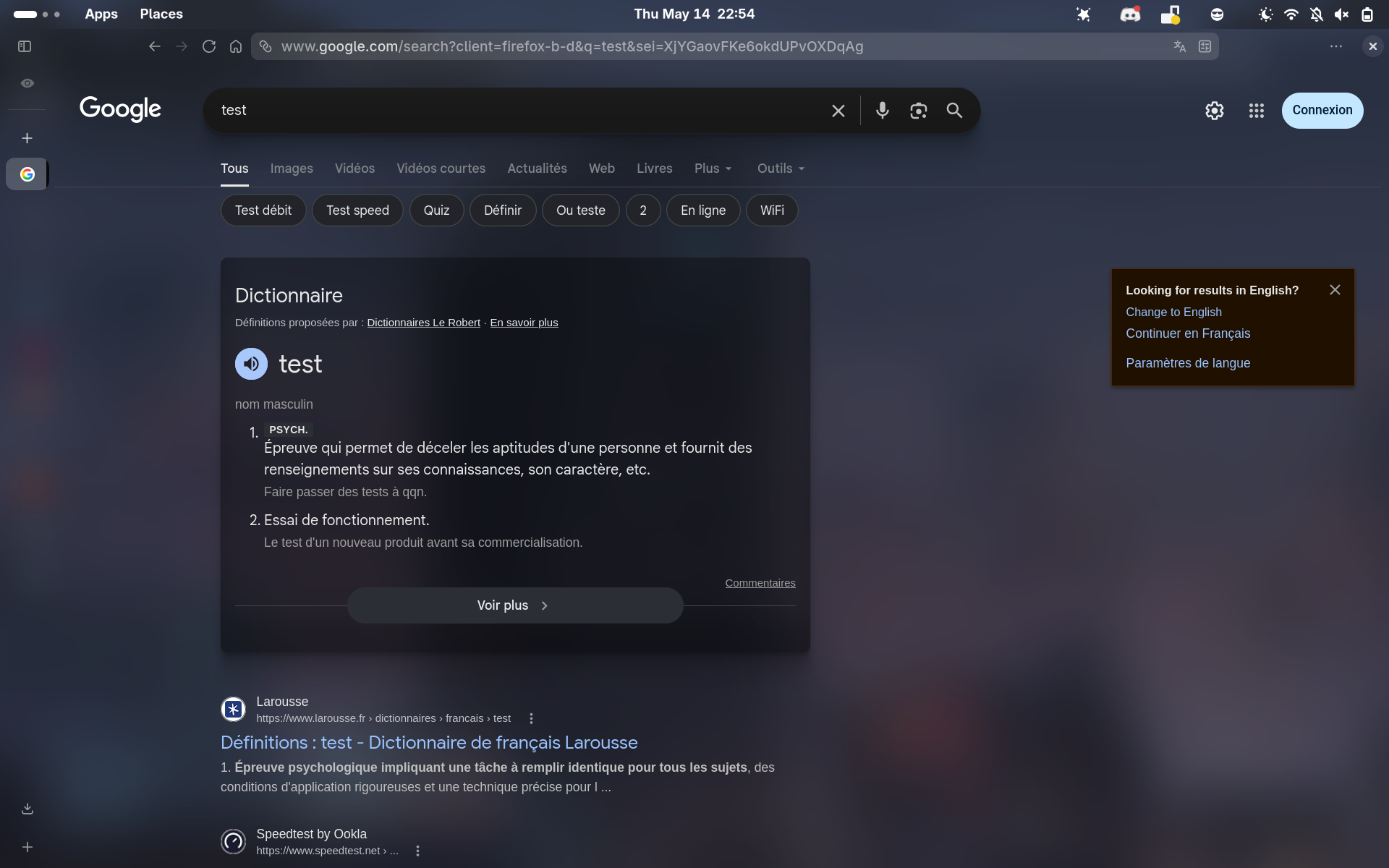
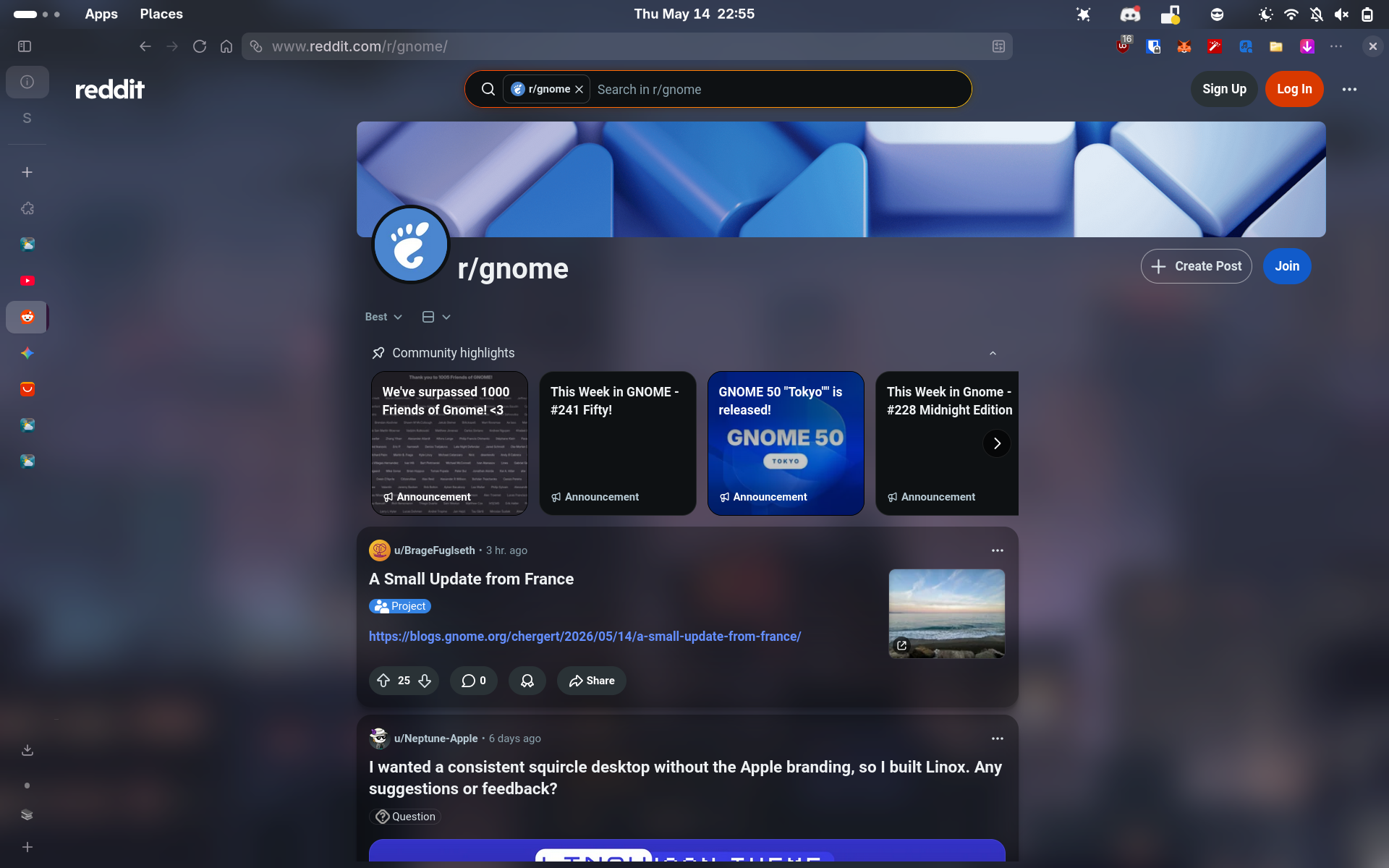
As you can see, websites also get modified (and honestly look much better), your desktop becomes very simple, clear, clean just nice.
Others
You can also do the same for your cmd by installing ghostty and adding this : background-opacity = 0.6 to your config, also don’t forget to augment the radius of the blur. You will need the blur my rounded window corners application installed, then set it to 15.
Additionnally you can make your vscode look just like this, for this install the Vibrancy vscode extension, activate it and rerun vscode, it should work just fine.
For other stuff, I hope with gnome & wayland this transparent styling will become easier, as for now I can’t find a way for other apps like discord etc. I also hope we can later add local styles with the zen extension for websites, which would be helpful for testing purposes.